

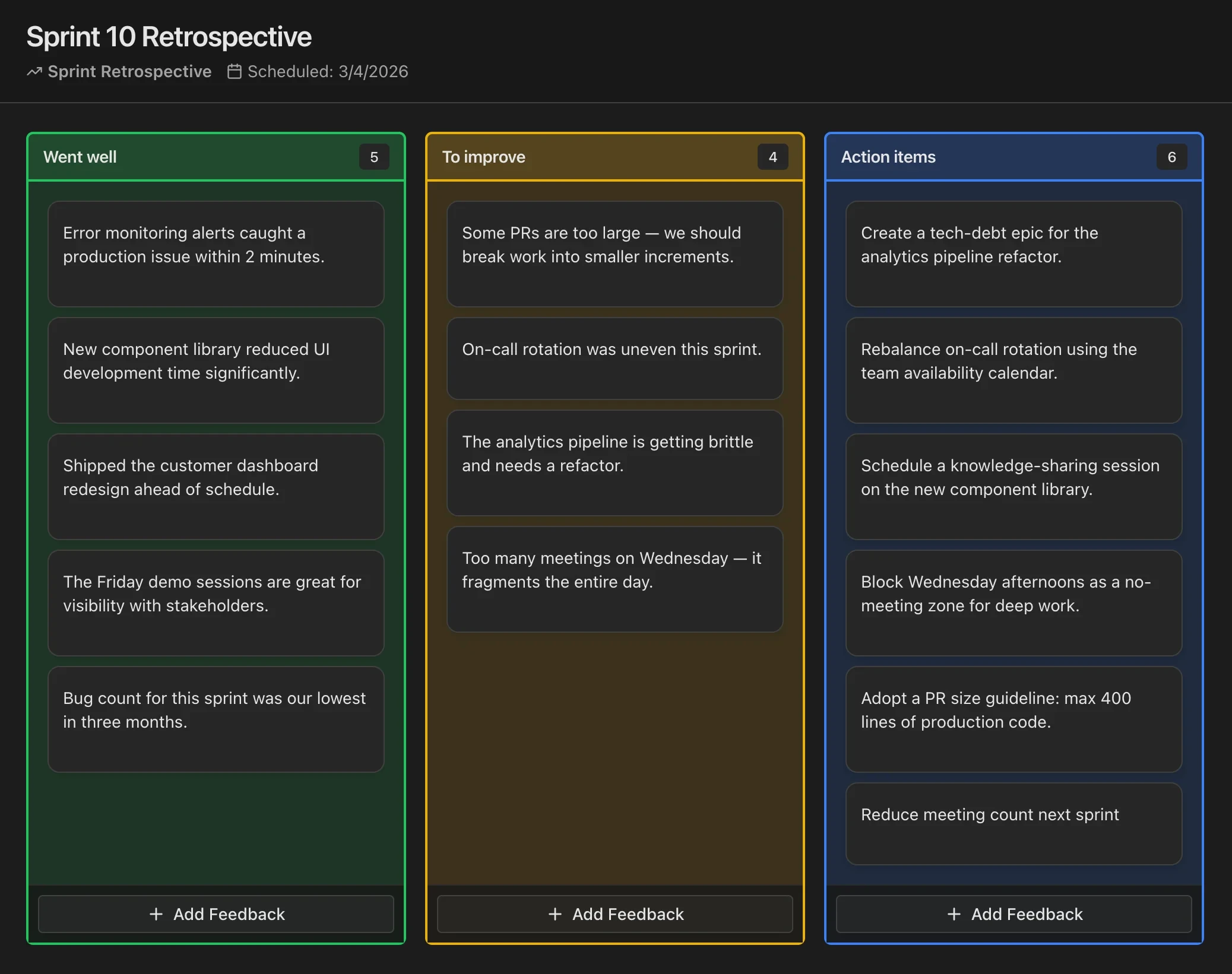
Went Well - To Improve - Action Items
The classic three-column retro: celebrate wins, name improvements, and leave with concrete next steps.
Went well
What helped the team succeed? Practices, collaboration, tools, or moments worth repeating.
To improve
What slowed you down or felt rough? Focus on the system and process, not blame.
Action items
Specific experiments or tasks, owners, and dates so improvements actually happen.
This board is for demo purposes only. Your responses are not saved. Close or refresh the page to clear all cards. Do not add any sensitive information.
What is Went Well - To Improve - Action Items?
The Went Well - To Improve - Action Items retrospective is the most widely adopted sprint retrospective format in agile software development. Its origins trace back to the early days of Scrum in the late 1990s, when teams needed a simple, repeatable structure for continuous improvement. The format gained mainstream traction through books like "Agile Retrospectives: Making Good Teams Great" by Esther Derby and Diana Larsen, published in 2006.
The format divides feedback into three clear buckets. "Went Well" captures successes and practices worth repeating. "To Improve" highlights friction, pain points, and inefficiencies without assigning blame. "Action Items" turns discussion into committed experiments with owners and deadlines. This three-part structure ensures retrospectives produce tangible outcomes rather than open-ended venting sessions.
Teams love this format because it is intuitive. New team members can participate meaningfully on their very first retro without any training or onboarding. The simplicity also makes it easy to timebox—most teams run it effectively in 30 to 60 minutes.
When to use Went Well - To Improve - Action Items
This format works best as your default retrospective when the team is new to agile or when you need a reliable fallback after experimenting with other formats. It suits teams of any size from three to fifteen people, though larger groups benefit from splitting into smaller breakout sessions before combining results.
Use it at the end of every sprint or iteration as your bread-and-butter retro. It is especially valuable during the first few sprints of a new team when establishing psychological safety and shared vocabulary. It also works well after a stressful period because the "Went Well" column ensures the team acknowledges progress even when frustrations dominate.
Avoid this format if your team has been running it for many consecutive sprints and energy is declining. Retrospective fatigue is real, and switching to a metaphor-based format can re-engage participants. Also consider alternatives when the team needs to focus specifically on emotional health or forward planning rather than general improvement.
How to facilitate Went Well - To Improve - Action Items
Begin with a brief check-in to set the tone—a one-word mood check or a quick round of "what is one thing you are grateful for this sprint" works well. Then give the team five to seven minutes of silent writing time to populate sticky notes or digital cards in all three columns simultaneously. Silent writing prevents groupthink and ensures introverted team members contribute equally.
After writing, have each person briefly present their cards. Group similar items together as themes emerge. Then dot-vote on the "To Improve" items to identify the top two or three issues the team wants to address. Resist the temptation to discuss every single card—focus creates better outcomes than breadth.
For each prioritized improvement, facilitate a brief conversation to understand root causes and then craft a specific action item. Every action item needs an owner and a target date. Write them in the format "Person X will do Y by date Z." Close the retro by reading back all action items and confirming commitment. At the start of the next retro, review whether previous action items were completed.
Tips for getting the most out of Went Well - To Improve - Action Items
The biggest pitfall with this format is letting the "Action Items" column become a graveyard of good intentions. Limit yourself to two or three actions per retro and track them visibly on your team board. An action item without follow-through is worse than no action item at all because it erodes trust in the retrospective process itself.
Another common mistake is spending too much time on "Went Well" at the expense of meaningful improvement discussion. Aim for roughly 20 percent of time on positives, 40 percent on improvements, and 40 percent on crafting actions. Celebrate wins genuinely but briefly.
Encourage specificity over vague statements. "Communication was bad" is less useful than "We discovered the API change on Thursday because the Slack update was posted in the wrong channel." Specific observations lead to specific fixes. Finally, rotate the facilitator role regularly so no single person owns the retro and everyone builds facilitation skills.
Variations and adaptations
For remote teams, use a collaborative tool like Code Kudu, Miro, or FigJam with a timer visible to all participants. Enable anonymous card submission if psychological safety is still developing. Remote retros benefit from slightly longer silent writing periods—seven to ten minutes—because screen sharing and digital tools add friction.
For asynchronous retrospectives, open the board 24 to 48 hours before a synchronous discussion session. Team members add cards on their own schedule, then the live meeting focuses exclusively on grouping, voting, and action item creation. This hybrid approach respects different time zones while preserving the collaborative energy of real-time discussion.
For larger groups of ten or more, run the format in breakout pairs or trios first, then merge the top items into a shared board. This keeps total meeting time reasonable and ensures everyone has voice time. You can also add a fourth column called "Shout-outs" to make appreciation explicit, which is especially valuable for cross-functional teams where contributions are less visible.

Run Retrospectives in CodeKudu
CodeKudu includes dozens of retrospective board templates, anonymous feedback, AI summaries, and action items that sync to GitHub Issues, Jira, and Linear.